Build a free business website around forms and workflows
Create focused online experiences for lead capture, orders, appointments, surveys and requests—then publish them directly or embed them into the website you already use.

What kind of website can you create with AbcSubmit?
AbcSubmit is designed around interactive business experiences: forms, order flows, appointment requests, surveys, data collection and workflow automation. You can create a hosted experience or place an AbcSubmit form inside an existing website.
This approach is useful when the main purpose of the page is to turn a visitor into a lead, applicant, customer, attendee or requester. Instead of publishing a static page and handling the result manually, you can collect structured information and connect it to notifications, payments, approvals or integrations.
Capture leads
Build contact, quote and consultation forms with relevant questions and clear follow-up.
Accept requests
Create applications, registrations, approvals and internal service-request experiences.
Complete transactions
Combine product, appointment and payment fields where supported by your plan.
Business pages you can launch without code
Lead-generation landing page
Explain the offer, qualify the visitor and collect a focused inquiry without sending them through unnecessary pages.
Online order page
Present products or services, collect quantities and options, and connect an available payment method.
Appointment request page
Collect customer details, service preferences and scheduling information in a structured flow.
Event registration page
Combine event details, attendee questions, consent, fees and confirmation messages.
Survey or feedback page
Ask relevant questions, use conditional logic and keep responses organized for analysis.
Internal request portal
Standardize HR, IT, finance, procurement or operations requests and route them for action.
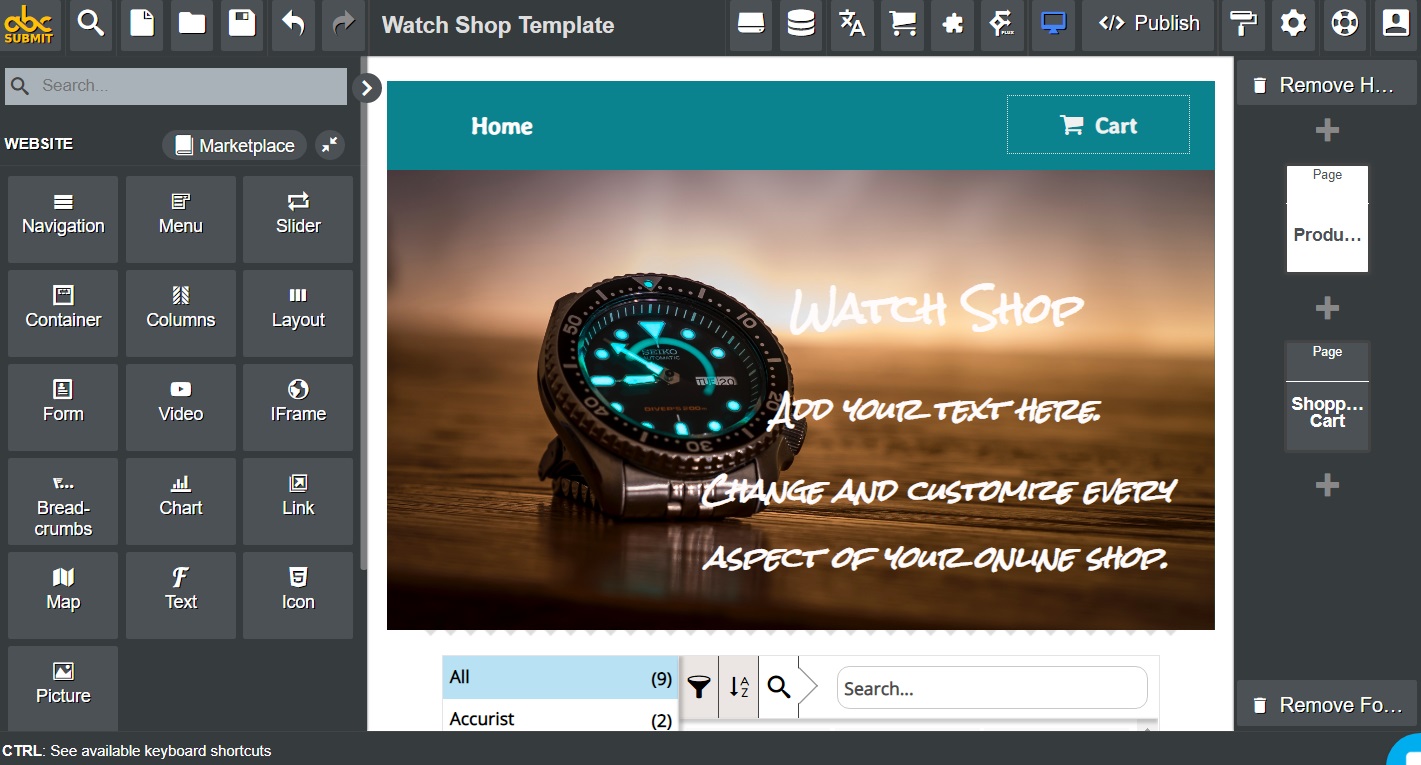
Start with the visitor’s next action
A high-converting page has one clear job. Before choosing colors or arranging content, decide what a qualified visitor should do and what your team needs afterward.
- Define one primary audience and one primary conversion
- Write a headline that explains the useful outcome
- Show the evidence a visitor needs before acting
- Ask only for information needed to respond or deliver
- Explain privacy, timing, pricing and the next step
- Design confirmation and follow-up before publishing
For faster setup, begin with a form template and adapt the language, fields and logic to the audience.
How to build a free website experience with AbcSubmit
Choose the goal
Decide whether the page should create a lead, booking, order, application, survey response or internal request.
Build the experience
Add content and form fields, organize the flow, apply conditional logic and match the visual style to your brand.
Connect the process
Configure confirmations, notifications, payments, approvals or supported integrations as required.
Publish and improve
Share the hosted link or embed it on your website, then test usability and monitor qualified outcomes.
AbcSubmit currently lists a Free plan with limits, plus paid cloud and on-premise options. Review the current feature and pricing matrix before designing a production process.
What to look for in a free website builder
| Requirement | Questions to ask | Why it matters |
|---|---|---|
| Purpose | Does the builder support the conversion and content you need? | A beautiful page that cannot complete the business task creates more manual work. |
| Mobile experience | Are fields, buttons, text and embeds usable on narrow screens? | Many visitors will interact from a phone. |
| Publishing | Can you share a hosted link or embed the experience where needed? | The page must fit your existing web presence and campaigns. |
| Forms and logic | Can you validate answers and show relevant questions conditionally? | Better inputs reduce incomplete requests and follow-up. |
| Payments | Which processors, currencies and plans support the intended transaction? | Payment availability and provider requirements vary. |
| Automation | Can submissions notify, route, approve or update other systems? | The visitor experience is only the beginning of the process. |
| SEO and analytics | Can you control titles, descriptions and measurement where the page is published? | Discoverability and conversion need reliable tracking. |
| Total cost | What limits apply to forms, fields, submissions, storage and users? | A free starting point may need a paid plan as demand grows. |
Publish on AbcSubmit or embed on your existing website
You do not have to replace a working website to improve its forms. AbcSubmit supports publishing forms and embedding them on websites, so teams can add interactive workflows to WordPress or other platforms that accept the required embed method.
- Use a hosted link for a fast campaign or direct invitation
- Embed the form where visitors already understand the offer
- Keep surrounding page content concise and relevant
- Test loading, responsive width and confirmation behavior
- Provide a fallback link when an embed could be blocked
- Recheck the page after theme, caching or plugin changes
See the guides for embedding a form in WordPress and embedding an AbcSubmit form on Wix.

Features that turn a page into a business process
Conditional logic
Show questions and options based on earlier answers so each visitor sees a more relevant path.
Payment fields
Collect eligible payments through a configured provider for orders, services, registrations or appointments.
Appointment fields
Gather scheduling information and connect booking requests to the operational process.
File and signature fields
Collect supporting documents or acknowledgement where the use case and plan require them.
Notifications and workflows
Confirm submissions, alert responsible teams and route decisions through repeatable steps.
Integrations
Connect qualifying form data to supported business tools while keeping ownership and permissions clear.
Explore form automation software, appointment booking forms, shopping cart forms and approval workflows.
Website copy that converts visitors into submissions
Conversion comes from relevance and confidence, not from adding more design effects. Each section should help the visitor answer a decision-making question.
| Page section | Question it should answer |
|---|---|
| Headline | Is this page for me, and what result does it offer? |
| Opening paragraph | What problem does this solve, and how? |
| Benefits | What becomes easier, faster or clearer? |
| Evidence | Why should I trust this process or provider? |
| Form | What information is needed, and why? |
| Primary CTA | What exactly happens when I click? |
| FAQ | What concern might stop me from acting? |
| Confirmation | Was the submission successful, and what happens next? |
SEO checklist for a small business website
- Choose one primary search intent for every important page
- Write a unique title and meta description that match the page
- Use one descriptive H1 followed by organized H2 and H3 sections
- Answer real customer questions in clear language
- Add useful internal links instead of repeating the same keywords
- Use descriptive alt text for meaningful images
- Compress images and avoid unnecessary scripts
- Make the page usable with a keyboard and on mobile screens
- Publish accurate contact, privacy and business information
- Measure form completions, qualified leads and revenue—not only visits
- Update time-sensitive features, pricing and screenshots
- Avoid copied, thin or mass-produced pages that add no distinct value
Before you publish: complete website launch checklist
- The primary audience and page goal are obvious
- The main CTA is visible and uses specific action language
- Every form label explains the expected answer
- Required fields are limited to operational needs
- Validation and conditional paths are tested
- Privacy, consent, payment and service terms are available where relevant
- Confirmation messages explain what happens next
- Internal notification recipients are correct
- Links and embedded content work over HTTPS
- The page works on common phone and desktop widths
- Keyboard navigation and error messages are usable
- Analytics record the intended conversion without collecting unnecessary data
Free website builder FAQs
Can I build a website for free with AbcSubmit?
AbcSubmit currently offers a Free plan with limits. It is best suited to building and publishing form-centered experiences for leads, orders, appointments, surveys and workflows. Review the current plan matrix before launch.
Is AbcSubmit a replacement for WordPress?
Not for every website. WordPress is a content management system suited to blogs and content-rich sites. AbcSubmit focuses on forms and the business processes connected to them. You can embed AbcSubmit forms in WordPress.
Can I use my existing website?
Yes. You can embed an AbcSubmit form into a compatible website or link visitors to a hosted form experience.
Can I accept payments on a business page?
AbcSubmit lists Product, Shopping Cart and Payment Processor fields. Availability varies by plan and configuration, and the selected payment provider has its own requirements and fees.
Can I create an appointment or booking page?
AbcSubmit includes appointment-oriented fields and workflows. Test the exact scheduling, confirmation and calendar process required by your business.
Will the page work on mobile devices?
AbcSubmit forms are designed for online publishing, but every final page and embed should be tested on the actual devices, browsers and website theme your visitors use.
How do I improve website conversions?
Focus the page on one audience and action, explain the outcome clearly, remove unnecessary fields, address common concerns and make the next step explicit.
Build the page your next process needs
Start with a form template or blank canvas, create a focused visitor experience and test the complete journey from first click to team follow-up.